

Latest Version
Ketok
Communication
Linux
Free
xyz.ketok.Speedtest
Report a Problem
More About Speedtest for Linux
Picture this: you are in the middle of an important video conference or configuring a remote server on your Linux workstation, and suddenly your connection begins to stutter. Before you dive into complex terminal commands or load a heavy, ad-laden web browser tab to check your network performance, having a lightweight, dedicated utility ready to go can save you both time and frustration. That is where the Speedtest internet connection speed utility by Ketok steps in to simplify your diagnostic workflow.
A Native GTK4 Experience for Quick Diagnostics
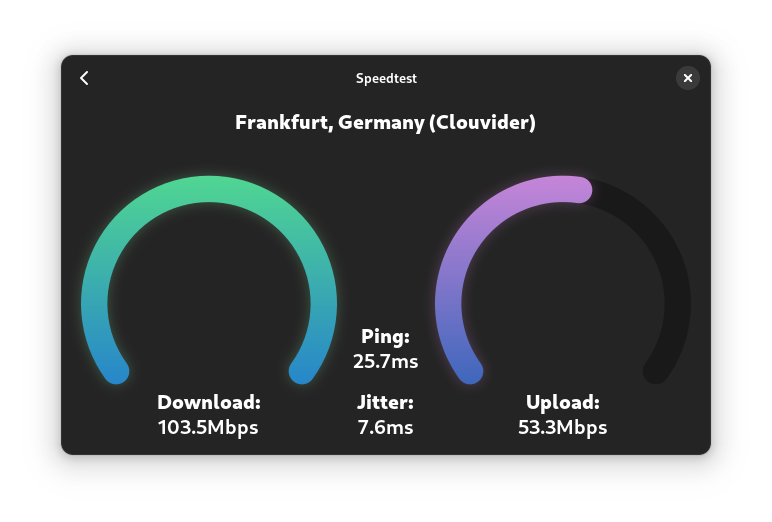
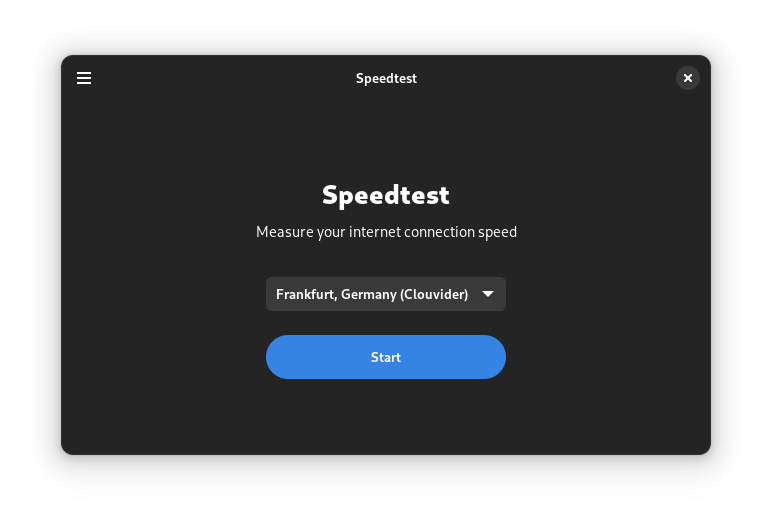
Designed specifically for the modern Linux desktop, this application serves as a dedicated desktop client for Librespeed. By utilizing the latest GTK4 and Libadwaita libraries, the Speedtest internet connection speed application integrates flawlessly with modern desktop environments, offering a clean, visually cohesive, and adaptive user interface. Unlike web-based speed tests that are often cluttered with distracting advertisements and tracking scripts, this open-source-aligned tool focuses purely on delivering accurate metrics without the overhead.
Key Features of the Librespeed Desktop Client
- Ad-Free Performance: Enjoy a clean testing environment completely free of commercial telemetry and intrusive banners.
- Modern Linux Integration: Built with GTK4 and Libadwaita, ensuring smooth animations, responsive window scaling, and a native system aesthetic.
- Librespeed Backend: Leverages reliable, lightweight speed testing technology to measure ping, download speeds, and upload speeds.
- Minimal Resource Footprint: Runs as a native desktop application, consuming significantly less memory than a full web browser instance.
Who Is This Network Tool For?
If you are a Linux enthusiast, system administrator, or remote professional who values privacy and interface consistency, this utility is tailored for your toolkit. It eliminates the need to keep browser tabs open just to monitor your bandwidth. Whether you are troubleshooting a slow Wi-Fi connection or verifying the throughput of a new ethernet drop, the Speedtest internet connection speed application provides a straightforward, no-nonsense solution.
How to Access the App
Ready to streamline how you verify your network performance? You can explore more details and find installation instructions directly on the official Flathub store page. Head over to the official Speedtest Flathub page to integrate this elegant utility into your Linux environment today.
Rate the App
User Reviews















Popular Apps










Editor's Choice