

Latest Version
Viber
Linux
Free
com.viber.Viber
Report a Problem
More About Viber
Picture this: you are deep in your Linux development workflow, your phone is charging across the room, and an urgent message arrives from a family member abroad. Instead of breaking your concentration to retrieve your device, Viber messaging and calling allows you to handle the entire conversation straight from your desktop environment.
What is Viber Messaging and Calling?
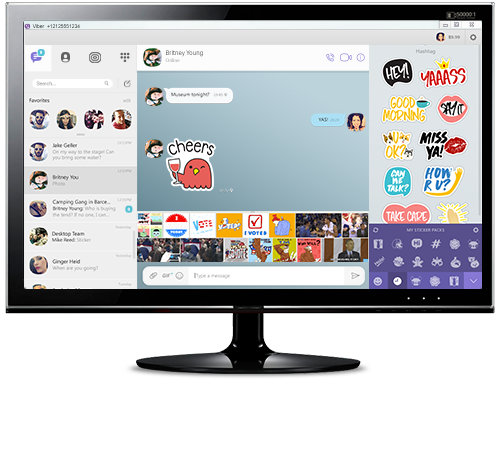
Viber is a cross-platform communication client designed to keep you connected with friends, family, and colleagues worldwide. While highly popular on mobile operating systems, this Linux version acts as a robust desktop companion, syncing your entire chat history, media, and contact list instantly. It offers a unified communication hub, categorizing it alongside top-tier e-mail and instant messaging tools for productivity.
Key Features of Viber for Linux
- Instant Cross-Device Syncing: Your contacts and messages transfer effortlessly between your mobile phone and your Linux workstation, ensuring you never miss a beat.
- Free Global Communication: Send unlimited text messages and initiate high-quality voice or video calls to any other user on the network, regardless of their location or device.
- Multi-Network Compatibility: The application operates smoothly across different network types and hardware setups, making it highly reliable for remote communication.
Who is This Communication Wrapper For?
This specific Linux package is ideal for desktop enthusiasts, developers, and system administrators who want to maintain their social and professional connections without constantly switching to a mobile screen. It is perfect for users who value a physical keyboard for typing long messages but still want the accessibility of a modern chat network.
An Editorial Perspective
Having a dedicated communication tool integrated into your desktop workspace dramatically improves daily productivity. Because this package functions as a wrapper, it delivers the official experience directly to your Linux distribution. It is an excellent choice for anyone looking to streamline their daily digital interactions.
How to Get Started
Ready to bring your chats to your desktop? To explore this application and integrate it into your daily routine, visit the official Flathub store page to learn more about installation and setup on your specific Linux distribution.
Rate the App
User Reviews












Popular Apps










Editor's Choice